You’ve earned your license.
Now comes one of the most common questions in amateur radio:
What radio should I buy?
It’s a reasonable question.
Unfortunately, it doesn’t have one universal answer.
The right radio depends on what you want to do, where you want to operate, which amateur radio activities interest you, and how much complexity you want to deal with while you’re still learning.
So before looking at brands and model numbers, let’s ask a better question.
What Do You Want the Radio to Do?
This is where your first-radio decision should begin.
Not with price.
Not with somebody else’s favorite manufacturer.
Not with a list called “The Ten Best Ham Radios for Beginners.”
Ask:
What do I want this radio to do?
Do you want to:
- Talk through local repeaters?
- Operate simplex around Perry County?
- Participate in public-service or emergency communications?
- Use analog FM?
- Experiment with digital voice?
- Communicate over longer distances on HF?
- Operate Parks on the Air or other portable activities?
- Build a station that can operate away from commercial power?
- Work amateur satellites?
- Experiment with digital modes?
- Do several of those things?
Maybe you don’t know yet.
That’s okay too.
Your first radio can help you discover what parts of amateur radio interest you.
There Is No One-Size-Fits-All Radio
This may be the most important point on this page:
There is no one-size-fits-all in amateur radio.
A radio can be excellent equipment and still be completely wrong for what you want to do.
One operator’s perfect first radio may frustrate another operator from the first day.
That’s why PCARS isn’t going to declare one model, manufacturer, price range, or operating style the universal answer for new operators.
Learn enough about the choices to make an informed decision.
And whenever possible, try equipment before spending your money.
Talk to an Elmer
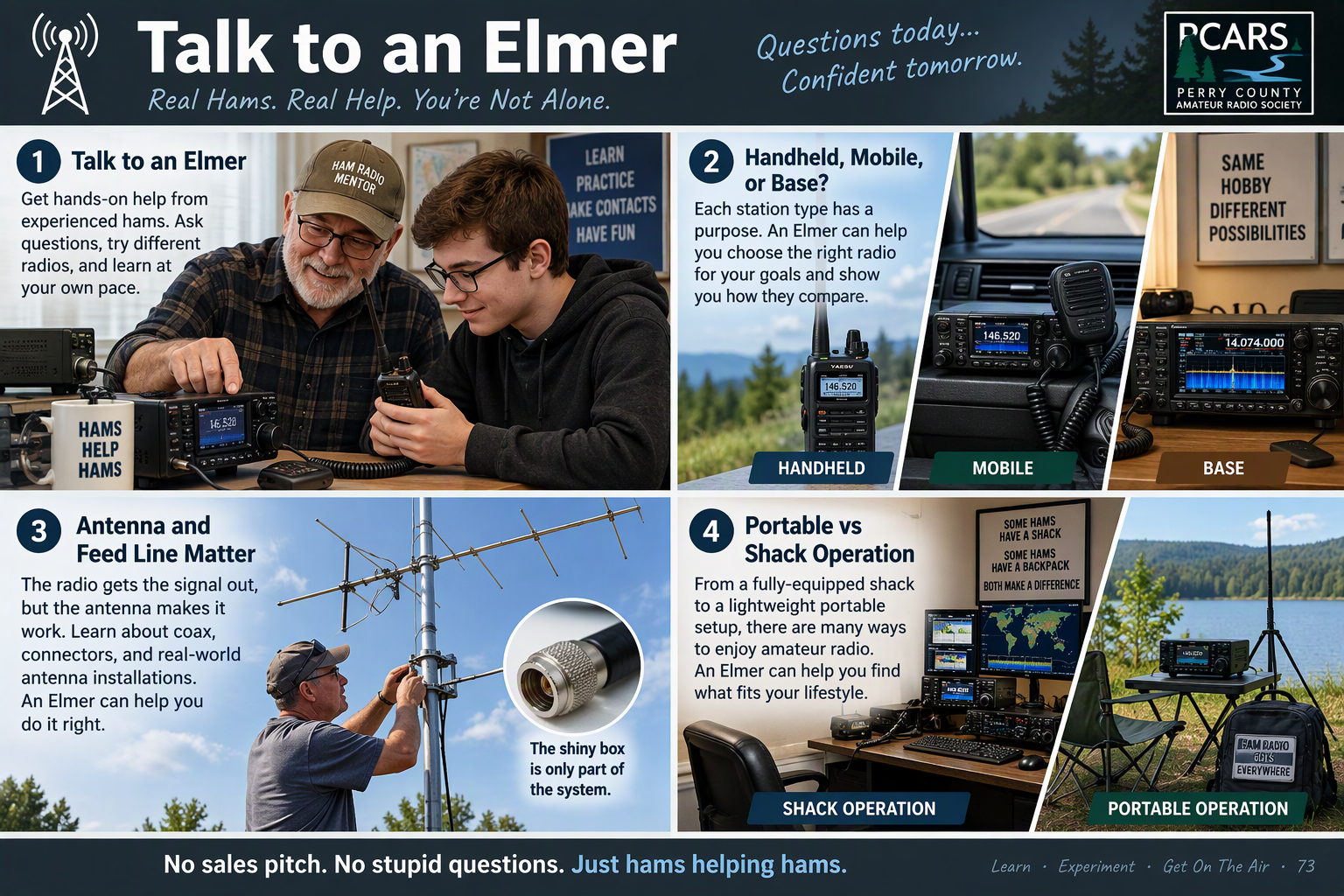
Amateur radio has a long tradition of experienced operators helping newer operators learn the hobby.
You’ll often hear that kind of mentor called an Elmer.
An Elmer isn’t a salesman.
A good Elmer should start by asking what interests you, what you want to accomplish, where you expect to operate, and what kind of budget you’re working with.
If you know an experienced operator, talk to them before spending much money.
Better yet, ask whether you can visit their shack and see some equipment in operation.
Many amateur radio operators are happy to show newcomers their stations, explain why they chose particular equipment, and let someone experience different radios and operating styles firsthand.
You may even have an opportunity to sit down and try different equipment under the station owner’s supervision.
That’s worth far more than reading a specification sheet.
A handheld radio feels different from a mobile radio.
A modern HF transceiver with a spectrum display is different from an older radio with knobs and a simple display.
Different manufacturers organize menus and controls differently.
Some operators love touchscreens.
Others want physical knobs.
Some want one radio capable of doing many things.
Others prefer several radios, each dedicated to a particular job.
You won’t discover all of those preferences by comparing specifications on a website.
Sometimes you need to sit in front of the radio and use it.
Ask More Than One Ham
Hams have opinions, and some will make sure that you know theirs.
That’s not necessarily a bad thing.
Much of what you’re hearing comes from experience, preference, and sometimes an expensive lesson learned the hard way.
But don’t let someone else’s opinion make the decision for you.
One operator may strongly recommend a particular radio because it fits the way that operator enjoys amateur radio.
Another may recommend something completely different for equally good reasons.
Listen to both.
Ask why.
Think about whether their priorities match yours.
There can also be some real wisdom in choosing equipment similar to what your Elmer or other local operators already know well.
If your Elmer owns the same radio, or something closely related to it, you’ve got someone to call when you can’t figure out how to program a memory, find a menu setting, connect an accessory, or understand why the radio isn’t behaving the way you expected.
That kind of local knowledge has value.
It still doesn’t mean you should buy a particular radio simply because your Elmer owns one.
Consider the advice, take advantage of the experience around you, and then make the decision that fits your interests.
Handheld, Mobile, or Base?
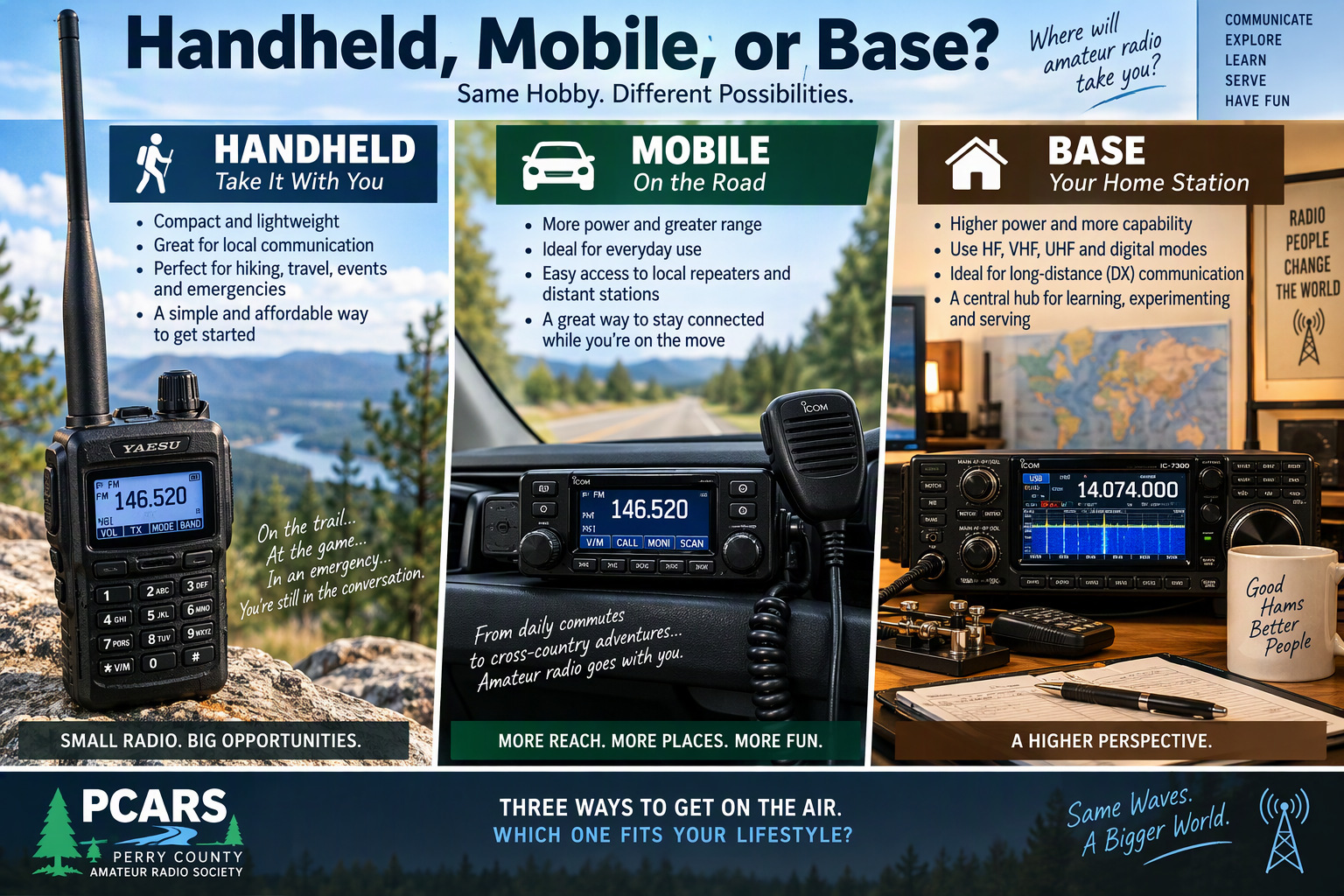
One of the first decisions is what physical style of radio makes sense for what you want to do.
Handheld Radios
A handheld transceiver, often called an HT, is small, portable, battery powered, and easy to carry.
For many new Technicians, an HT is an obvious first-radio candidate.
Here in Perry County, though, there’s an important local consideration:
Perry County currently does not have an amateur radio repeater on the air.
That limits some of the things a typical low-power handheld can conveniently do from many locations in the county.
There are repeaters in surrounding communities, but whether you can reach one with an HT depends on your location, terrain, antenna, the repeater involved, and other conditions.
That doesn’t make an HT useless.
Far from it.
An HT can still be valuable for:
- Short-range simplex communication
- Portable and field activities
- Public-service events
- Communication among operators working in the same general area
- Learning basic radio controls and operating practices
- Using surrounding-area repeaters when you’re within useful range
- Serving as a portable or backup radio as your station grows
An HT can remain useful long after you’ve added other equipment.
Today’s first radio may become tomorrow’s go-kit radio, event radio, portable radio, or backup radio.
Just understand what you’re buying.
A five-watt handheld with a small antenna is designed around portability.
If your real goal is reliable communication across a large part of Perry County, buying an HT and expecting it to perform like a higher-powered radio connected to an elevated outdoor antenna is likely to be disappointing.
That’s not necessarily a problem with the handheld.
It’s asking the handheld to do a job it wasn’t designed to do.
What About a Perry County Repeater?
The lack of a local repeater isn’t necessarily permanent.
We currently have coordinated frequency pairs available for both a VHF repeater and a UHF repeater in Perry County.
Getting a repeater on the air, however, involves considerably more than having frequencies available.
It takes time, equipment, an appropriate site and infrastructure, and money.
That’s something we’d like to work toward rather than promise on a schedule we can’t yet guarantee.
In the meantime, a new operator should choose equipment based on the radio environment that exists today, while understanding that local amateur radio infrastructure can grow along with the community.
Mobile Radios
A mobile radio is designed primarily for installation in a vehicle, but many operators also use mobile radios as home or portable base stations with an appropriate power supply and antenna.
Compared with a handheld, a VHF/UHF mobile radio typically provides more transmit power and is normally connected to an external antenna.
Here in Perry County, that difference can be significant.
Based on local operating experience, a properly installed mobile radio in a vehicle may be able to reach five or six surrounding repeaters, depending on where you are in the county, the antenna being used, and how and where that antenna is mounted.
Take essentially the same radio and use it as a home base station with a good outdoor antenna at greater elevation, and the picture can change dramatically.
From a favorable location, a base installation may be able to reach 15 to 17 surrounding repeaters, depending on the antenna, its elevation, terrain, propagation, and the particular repeater systems involved.
Those numbers aren’t guarantees.
They’re examples of an important amateur radio lesson:
The radio is only one part of the station.
Transmit power matters.
But so do antenna efficiency, antenna height, feed-line loss, terrain, and location.
That is why replacing a five-watt handheld with a 50-watt mobile radio isn’t the whole story.
Connecting that mobile radio to a well-installed external antenna can be every bit as important as the additional power.
For someone in Perry County interested in local nets, surrounding repeaters, simplex communication, public service, or emergency communications, a VHF/UHF mobile radio can therefore be worth considering even for use at home.
You don’t necessarily need separate “mobile” and “base” radios.
The same basic radio can serve either role when the surrounding station is configured appropriately.
Base and HF Radios
If your interests include longer-distance communication, HF operation, digital modes, contesting, or other activities on the HF amateur bands, you’ll eventually be looking at a different category of equipment.
Some radios concentrate primarily on HF.
Others cover HF along with VHF and UHF.
Some are designed primarily for a permanent station.
Others are compact enough for portable operating.
Again, there’s no universal winner.
Your operating interests determine which compromises make sense.
VHF and UHF or HF?
A new Technician often begins with VHF and UHF because that’s where many common local activities take place.
But Technician privileges aren’t limited entirely to those bands, and your interests may eventually lead toward HF.
The important distinction for equipment shopping is that a VHF/UHF handheld or mobile radio and an HF transceiver are generally intended for very different kinds of operation.
Before buying something because the advertisement says “ham radio,” make sure it actually operates on the frequencies and modes you intend to use.
That sounds obvious.
It has still surprised more than one new operator.
Analog or Digital Voice?
Analog FM remains an important part of local VHF and UHF amateur radio.
It’s widely supported, relatively straightforward to learn, and gives a new operator considerable flexibility.
Digital voice adds another set of possibilities, but this is one area where understanding the local infrastructure before buying equipment really matters.
Here in Southeast Mississippi, you’ll encounter repeaters supporting DMR and Yaesu System Fusion.
At present, we don’t have a D-Star repeater in our immediate area, although that’s something we’d like to see change in the future.
We’re reasonably certain Icom wouldn’t object.
DMR
The DMR repeaters in our area are DMR-only repeaters.
To use one as a DMR repeater, you need a DMR-capable radio that’s properly configured for that system.
That makes DMR capability something to consider deliberately when choosing a radio rather than assuming every VHF/UHF radio will be able to use the local DMR infrastructure.
Yaesu System Fusion
The local Yaesu System Fusion repeaters are configured for mixed-mode operation.
That means you don’t necessarily need a Fusion-capable radio just to use one of those repeaters.
An ordinary analog FM radio can access the analog side of a mixed-mode Fusion repeater, while a compatible Fusion radio can also take advantage of its digital voice capabilities.
For a new operator, that’s an important distinction.
Buying an analog-only radio doesn’t automatically lock you out of every locally available repeater that supports digital operation.
D-Star
D-Star is another digital voice system you’ll encounter in amateur radio.
D-Star stands for Digital Smart Technologies for Amateur Radio.
It is an open digital communications protocol established by the Japan Amateur Radio League, commonly known as JARL.
D-Star supports digital voice and data communication and can use Internet-connected gateways to extend communication beyond a local repeater.
One interesting part of D-Star is its use of amateur radio callsigns in its routing system.
Depending on the system and configuration being used, D-Star stations can communicate locally, use linked repeaters and reflectors, or route communications through the D-Star network.
As mentioned above, we don’t currently have a D-Star repeater in our immediate area.
That doesn’t necessarily make a D-Star-capable radio useless here.
Some D-Star radios support additional Internet-connected operating options, and personal hotspots provide another way to access D-Star networks without being within RF range of a D-Star repeater.
That leads naturally to another piece of equipment you may hear hams talking about:
the digital voice hotspot.
And Those Aren’t the Only Digital Modes
DMR, System Fusion, and D-Star are the digital voice systems we’re most likely to discuss when talking about the repeater infrastructure currently available around Southeast Mississippi.
They aren’t the only digital voice technologies used by amateur radio operators.
You may also encounter systems such as:
- M17
- NXDN
- P25
- Other experimental or developing digital voice technologies
Some have much smaller amateur-radio communities or less local infrastructure than DMR, Fusion, or D-Star.
That doesn’t make them uninteresting.
In fact, experimentation with developing technologies is very much in the spirit of amateur radio.
M17
M17 is particularly interesting from an amateur-radio experimentation perspective.
It was designed specifically for amateur radio as an open digital voice and data protocol, using the open Codec 2 voice codec.
For operators interested in open hardware, open software, experimentation, modifying equipment, and understanding what’s happening underneath the covers, M17 may be worth exploring even if there isn’t an M17 repeater down the road.
NXDN and P25
NXDN and P25 are other digital voice technologies you may encounter in amateur use.
NXDN, for example, has an amateur reflector network and is supported by some hotspot platforms.
These modes may not be the first consideration for most new operators around Perry County today, but that’s very different from saying they aren’t part of amateur radio.
Technologies change.
Local infrastructure changes.
And amateur radio operators have a longstanding habit of experimenting with things before they become popular.
So when you’re choosing equipment, it’s useful to know there are more possibilities than the three digital modes you’re most likely to hear discussed locally.
You don’t need to understand or support all of them.
You just need to know the rabbit hole goes deeper.
Digital Systems Aren’t Interchangeable
DMR, System Fusion, D-Star, M17, NXDN, and P25 are different digital voice systems.
A radio supporting one doesn’t automatically support the others.
So don’t buy a radio simply because the description says:
Digital
Ask:
Which digital system?
Then ask whether that system is actually useful for what you want to do.
Look at What You Can Actually Use
Before choosing a digital voice radio, find out what’s being used where you expect to operate.
Ask:
- Which repeaters can I reasonably reach?
- Which repeaters support analog FM?
- Which are digital-only?
- Which are mixed-mode?
- Which digital systems do they support?
- Which systems do local operators actually use?
- Do I want digital voice badly enough for it to influence my first-radio purchase?
There’s nothing wrong with buying equipment that gives you room to grow.
But don’t spend a substantial part of your first-radio budget on a digital capability merely because someone told you that a new ham “needs digital.”
You may not need it at all.
Or it may become one of your favorite parts of amateur radio.
Learn what’s available, try it when you can, and choose what fits your interests.
What About a Digital Voice Hotspot?
Being outside the coverage of a particular digital repeater doesn’t necessarily mean you can’t explore that digital voice system.
One option is a personal digital voice hotspot.
In a conventional hotspot setup, a compatible digital radio communicates with the hotspot over a short RF link, and the hotspot uses an Internet connection to connect to an appropriate digital voice network.
Depending on the hotspot hardware and software, several digital voice systems may be supported.
That can be particularly useful in Perry County.
If you can’t reliably reach the digital repeater you want to use, or if there simply isn’t a nearby repeater supporting that particular digital system, a hotspot may provide another path to that network.
For example, we currently don’t have a D-Star repeater in our immediate area.
A D-Star-capable radio and an appropriately configured conventional hotspot can provide one way to access D-Star network resources through an Internet connection.
The same general idea can apply to other supported digital voice systems.
Not Every Hotspot Works the Same Way
This is another place where amateur radio refuses to give us a nice one-size-fits-all answer.
Many hotspot systems follow the conventional model:
Radio → short RF link → hotspot → Internet → digital voice network
In that kind of setup, you still need a radio capable of communicating with the hotspot in an appropriate digital mode.
But not every hotspot is limited to that model.
Some more integrated products offer additional capabilities.
The SharkRF openSPOT4 Pro, for example, can work with the SharkRF Link app acting as a transceiver, so a separate digital handheld or mobile radio isn’t necessarily required for that type of operation.
Some hotspot platforms also support cross-mode operation, allowing a radio using one supported digital voice mode to communicate through a network using another supported mode.
So when someone says:
“You need a digital radio to use a hotspot,”
the more accurate answer is:
“It depends on the hotspot and how you intend to use it.”
There’s that phrase again.
Welcome to amateur radio.
A Hotspot Isn’t the Same as a Local Repeater
A hotspot can be extremely useful, but it solves a different problem from a local repeater.
A repeater provides RF coverage across a geographic area for operators within that coverage area.
A personal hotspot typically provides an individual operator with short-range or app-based access to an Internet-connected digital voice network.
And that Internet connection matters.
If the Internet service the hotspot depends on is unavailable, its Internet-connected network capabilities are unavailable too.
That’s particularly important if emergency or infrastructure-independent communications are among your interests.
A hotspot can expand what you can reach.
It doesn’t make local RF infrastructure unnecessary.
Hotspots Can Change the First-Radio Equation
Suppose you’re interested in D-Star but can’t reach a D-Star repeater from home.
That doesn’t automatically mean D-Star is unavailable to you.
A hotspot may give you another way to explore it.
Likewise, cross-mode-capable hotspot equipment may affect which digital capabilities you need in the radio itself.
But that flexibility comes with another tradeoff:
More capability usually means more to learn and configure.
A hotspot can introduce networking, configuration, digital voice networks, and another piece of equipment into your station.
That may sound fascinating.
If so, excellent.
Or you may decide:
“I just want to talk on the radio for a while.”
That’s also an excellent answer.
Buy for what interests you.
What About Apps?
Hotspots aren’t the only way Internet-connected amateur radio systems can be accessed.
Software continues to blur the line between the traditional radio station, digital voice hotspot, computer, and mobile device.
One example is QSO One.
QSO One can connect directly to several amateur radio networks using a supported computer or mobile device without requiring a separate radio or hotspot for supported operation.
Depending on the current version and network support, that can include services and systems such as:
- AllStarLink
- EchoLink
- DMR
- System Fusion
- D-Star
- M17
- P25
And QSO One isn’t the only software approach to Internet-assisted amateur radio.
Different applications and systems provide different capabilities, and this is another part of the hobby that continues to develop.
Does an App Still Count as Amateur Radio?
You’re likely to encounter several opinions about that question.
Remember what we said earlier:
Hams have opinions, and some will make sure that you know theirs.
For our purposes, the more useful question is:
Does this help you communicate, learn how amateur radio systems work, participate in the amateur radio community, or explore something you’re interested in?
An app doesn’t replace learning how RF communication works.
It doesn’t replace local repeaters.
It doesn’t replace simplex operation.
And it certainly doesn’t give you infrastructure-independent communications when your operation depends on an Internet connection.
But it can provide another way to explore amateur radio networks, participate when you’re away from your station, or discover whether a particular digital system interests you before investing in additional hardware.
That’s useful information when you’re deciding what your first radio needs to do.
Internet-Assisted Isn’t Infrastructure-Independent
Whether you’re using a hotspot, an application, or another Internet-connected gateway, remember what makes that connection possible.
The Internet is part of the communications path.
That’s perfectly reasonable for everyday amateur radio.
But if preparedness or emergency communications is one of your interests, understand the distinction between:
radio communication that works independently
and:
radio-related communication that depends on Internet infrastructure.
Both can be useful.
They solve different problems.
Local Infrastructure Can Change
The amateur radio infrastructure around us isn’t frozen in time.
Repeaters are built, upgraded, reconfigured, moved, and sometimes taken off the air.
PCARS would eventually like to help expand the capabilities available to amateur radio operators in Perry County.
But choose your first radio primarily around what you can use today, with reasonable consideration for where your interests may take you tomorrow.
The Antenna and Feed Line Matter
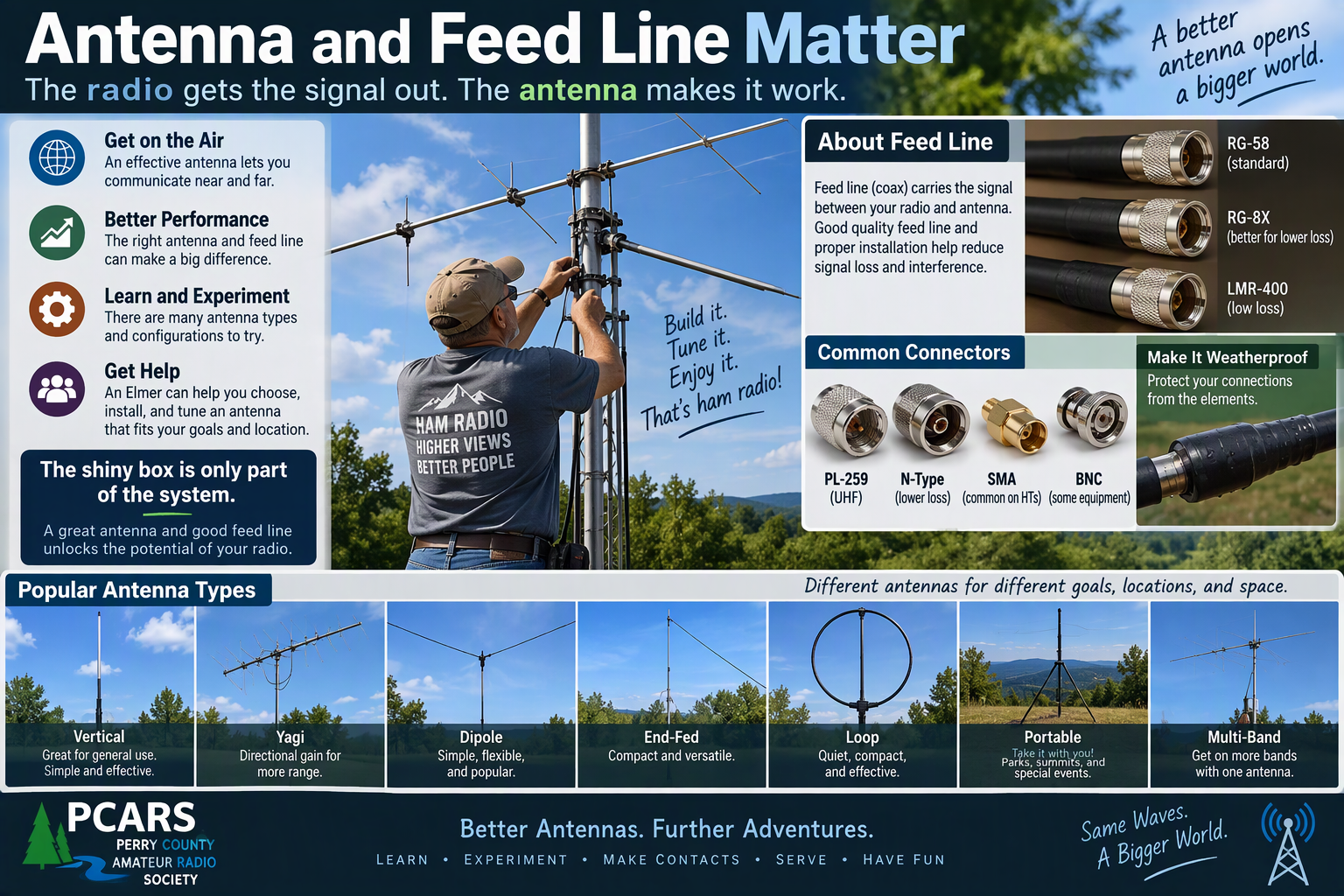
New operators naturally focus on the radio.
But the antenna and feed line are two of the most important purchases in any radio system.
The radio can only work with the signal that reaches it, and your transmitted signal has to travel through the feed line and antenna before it ever gets beyond your station.
A good antenna can make an inexpensive radio work extremely well. A bad antenna can make a very expensive radio almost worthless.
The same applies to feed line.
Signal lost between the radio and antenna isn’t doing anything useful for you.
That’s why the antenna and feed line shouldn’t be treated as accessories you buy with whatever money happens to be left after buying the radio.
They’re fundamental parts of the station.
Think of the station as a system:
Radio → feed line → antenna → everything beyond it
All of those pieces matter.
Height Matters Too
For VHF and UHF operation, antenna location and elevation can make an enormous difference.
We’ve already seen that here in Perry County.
Based on local operating experience, a mobile installation may reach five or six surrounding repeaters, while essentially the same radio used as a base station with an appropriate elevated outdoor antenna may reach 15 to 17.
The radio didn’t suddenly become better.
The station did.
Don’t Throw Away Signal in the Feed Line
Feed line is easy to overlook because it doesn’t have buttons, a display, or anything particularly exciting to show your friends.
It still matters.
The type and length of feed line, the operating frequency, connector quality, installation, and weather protection all deserve consideration when designing the station.
This doesn’t mean every new operator needs the most expensive coax available.
It means the feed line should be selected deliberately for the frequency, length, installation, and performance you actually need.
Spending good money on the radio and antenna while connecting the two with poorly chosen feed line is false economy.
Buy the Antenna for the Job
There isn’t one universal best antenna either.
Sound familiar?
An antenna designed for a permanent VHF/UHF base station will not work as an appropriate portable HF antenna. Period. Don’t ask me how I know…
The frequency range, physical size, construction, mounting requirements, radiation pattern, and operating purpose are different.
A vehicle antenna has different constraints from an antenna mounted 40 feet above the ground.
A portable antenna may deliberately trade some performance for lower weight, smaller packed size, faster setup, or easier transportation.
Those compromises can be perfectly reasonable when they match the job.
The question remains the same:
What do I need this station to do?
Choose the radio, feed line, antenna, power system, and other components as parts of that answer.
Don’t choose the radio first and make everything else live with the consequences.
Think About the Whole Station
The radio usually isn’t the entire purchase.
Depending on what you’re building, you may also need to think about:
- Antenna
- Feed line
- Connectors and adapters
- Power supply
- Battery or portable power
- Mounting hardware
- Microphone or headset
- Programming cable or software
- Computer interface
- Protective case
- Test equipment
- Lightning protection
- Grounding or bonding
- Other station accessories
A radio that looks inexpensive by itself can become a much larger station investment after everything needed to use it properly is included.
So compare station cost, not merely radio price.
Cheap Radios Aren’t Automatically Bad
Cheap radios aren’t automatically bad, and expensive radios aren’t automatically the best, especially for you.
Price may buy additional features, better construction, a nicer interface, or capabilities you genuinely want.
It can also buy features you’ll never use.
As radios become more complex, there can simply be more settings, features, and systems to learn, configure, and troubleshoot.
And your first radio doesn’t have to be your last radio.
Amateur radio operators often change or upgrade equipment as their interests and experience grow.
Something that fits you very well today might eventually be replaced, moved to another operating position, or become tomorrow’s backup radio.
Or somebody releases a new shiny radio tomorrow and suddenly your perfectly good radio develops a completely inexplicable inadequacy.
That’s not necessarily a bad investment.
A radio that helped you learn, make contacts, and discover what you actually want from your next radio has already done its job.
Buying more complexity than you need at the beginning can also make the learning curve unnecessarily steep.
For some operators, starting with equipment that does a few things well makes it easier to learn the fundamentals first and add capabilities later.
The better question isn’t:
“How much radio can I afford?”
It’s:
“What do I need this radio to do?”
Don’t Feel Obligated to Buy Your Last Radio First
Your interests will probably change as you learn.
The radio that makes perfect sense during your first year may not be the radio you want several years from now.
That’s okay.
Today’s primary radio may eventually become:
- A backup radio
- A portable radio
- A go-kit radio
- A workshop radio
- A second operating position
- A radio you keep because it still does one job particularly well
Growing into different equipment is normal.
The goal isn’t to predict every future interest before you’ve made your first contact.
The goal is to get on the air with equipment that supports what you want to learn and do now.
New or Used?
Your first radio doesn’t have to be new.
Used amateur radio equipment can represent very good value.
Plenty of older radios still have years of useful service left in them, and buying used can sometimes let you put more of your station budget toward the antenna, feed line, power supply, or other equipment that matters just as much as the radio.
But used equipment can also contain problems that aren’t obvious to someone buying a first radio.
If you’re considering used equipment and aren’t yet comfortable evaluating its condition, this is another place where an experienced operator can help.
Ask someone knowledgeable to look at the radio with you when possible.
Find out:
- Whether the radio operates properly on the bands and modes you intend to use
- Whether controls, buttons, displays, and connectors are working properly
- Whether it has been modified
- Whether the expected accessories are included
- Whether replacement accessories and parts are still reasonably available
- Whether the radio still meets your intended needs
- Whether the asking price actually makes sense
Don’t let a low price convince you that something is a bargain before you understand what you’re buying.
And remember:
Unless you’re a collector, “vintage” is usually just another word for old.
Old doesn’t automatically mean bad.
There is plenty of older amateur radio equipment that still performs extremely well and may represent an excellent value.
But age can also mean worn controls, aging components, unavailable replacement parts, missing accessories, obsolete software, or someone else’s unfinished repair project.
Evaluate used equipment for what it actually is, not for the adjective in the advertisement.
Sometimes older equipment is an excellent value.
Sometimes it’s a repair project with a power cord.
Know which one you’re buying.
Think About Where You’ll Operate
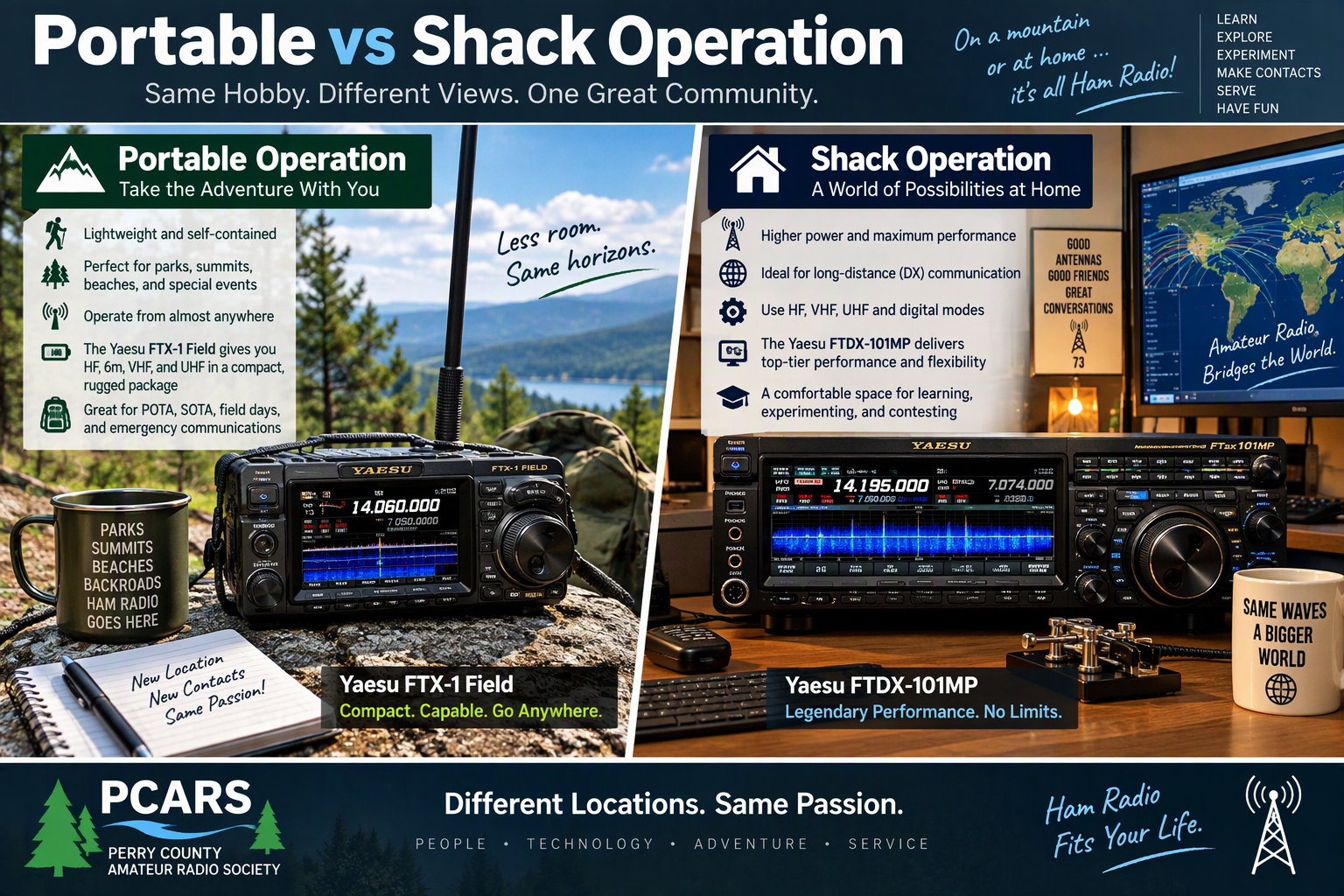
A radio for a desk at home has different priorities from one you’ll carry through the woods or haul to the top of a mountain.
Consider two extremes.
I probably wouldn’t volunteer to carry a 66-pound Yaesu FTDX-9000D to the top of a summit for a SOTA activation.
It’s an impressive base-station radio.
It’s considerably less impressive when you’re staring uphill at the trail and remembering that gravity is not optional.
At the other end of the spectrum, an Icom IC-705 weighs only a few pounds and was designed with portable operation in mind.
That’s a very different tool.
The IC-705 can certainly be used in a home station, and for some operators it may be exactly what they want there.
But I wouldn’t necessarily choose a compact, low-power portable radio as my primary HF radio in a permanent shack when portability isn’t one of my requirements.
Neither radio is wrong.
They’re designed around different priorities.
That’s the point.
Portable Operation Changes the Priorities
If you expect to operate SOTA, POTA, from a campsite, or anywhere else you have to carry the station yourself, you may care a great deal about:
- Size
- Weight
- Power consumption
- Battery requirements
- Packed size
- Ruggedness
- Ease of setup
- Antenna options
- How much supporting equipment must come along
Every pound matters a little more when you’re carrying it uphill.
A Permanent Station Has Different Priorities
At home, weight may barely matter.
Instead, you may care more about:
- Receiver performance
- Transmit power
- Larger controls and displays
- Multiple antenna connections
- Computer integration
- Digital-mode connectivity
- External accessories
- Ergonomics during long operating sessions
- Capabilities you wouldn’t want to carry into the woods
The compromises that make a radio wonderful for portable operation aren’t necessarily the compromises you’d choose for a permanent station.
Likewise, the capabilities that make a large base transceiver wonderful on a desk may become considerably less charming when you’re carrying the thing.
Again:
Start with what you want to do.
Then select equipment designed to support it.
Preparedness Changes the Question Too
If preparedness or emergency communications is one of your interests, don’t evaluate a radio only by what it does while plugged into the wall at home.
Think about:
- How you’ll power it
- How long your available power will last
- Which antennas you can deploy
- Which frequencies and modes are useful for the communications you expect
- Whether the equipment is practical to transport
- Whether you actually know how to operate it without relying on Internet access
Preparedness isn’t about owning the largest pile of equipment.
It’s about knowing how to use the equipment you have when you need it to work.
Leave Room to Grow, Not Room to Get Lost
There’s nothing wrong with buying equipment that offers capabilities you expect to grow into.
There’s also nothing wrong with buying something simpler.
The trick is finding a reasonable balance.
A radio that gives you room to grow can be a great investment.
A radio so complicated that you’re afraid to touch half the controls can become an expensive paperweight.
Buy enough radio to support your interests and reasonable growth.
Then learn it.
Use it.
Make contacts.
Discover what you like.
Your next equipment decision will probably be much easier because you’ll be making it from experience rather than speculation.
Ask PCARS
If you’re trying to choose your first radio and don’t know where to begin, ask us.
Tell us what you think you’d like to do.
Tell us where you expect to operate.
Tell us what you’ve already looked at.
Tell us your approximate budget if you’re comfortable doing so.
We won’t promise that everybody will give you the same answer.
In fact, we’d be suspicious if that happened.
But we can help you ask better questions, understand the tradeoffs, and hopefully avoid spending money on something that doesn’t fit what you actually want from amateur radio.
What’s Next?
Once you have a callsign and a radio, another question appears:
What do I actually say when I press the button?
Having equipment is one thing.
Becoming comfortable using it is another.
If you’d like help choosing or learning a first radio, contact us at info@pcars.club.